

Windows Vista Dial Up Settings
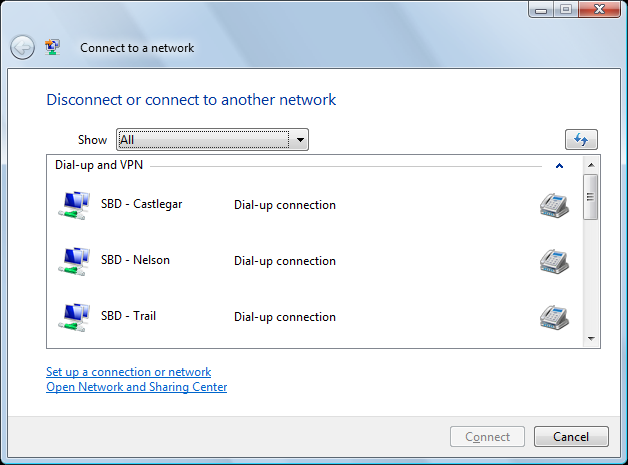
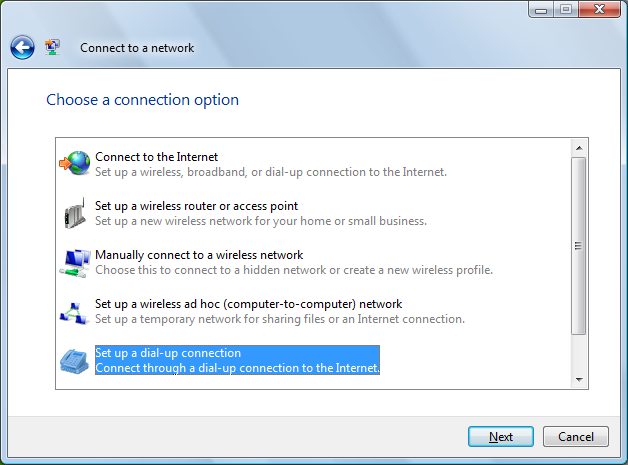
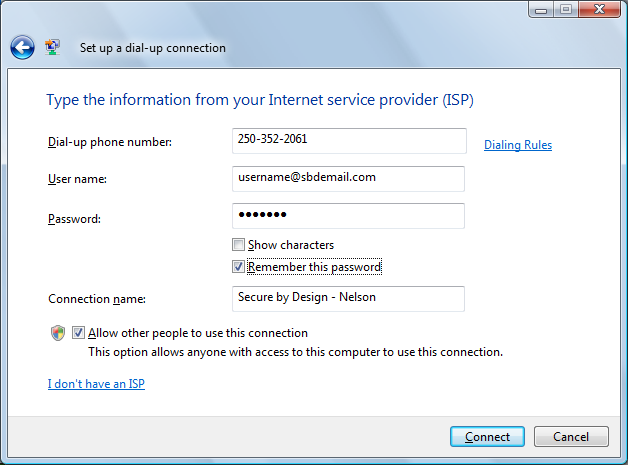
To set up your dial up settings on Windows Vista, you’ll need to follow a few simple steps. Click on the View Screen links to see what your screen should look like.
- Click on Start, choose ‘Connect To’ on the right hand column.
- On the ‘Connect To’ window, click on the link at the bottom labeled ‘Set up a connection or network’. View Screen.
- On the ‘Choose a Connection Option’ window, scroll down and click on ‘Set up a dial-up connection’. Click Next. View Screen
- On the ‘Type the information…’ window, enter the following: ( View Screen )
* Dial-up phone number: 1-800-553-1802 ** User name: username@sbdemail.com Password: ******** Connection Name: SBD * Enter only one number, without the city name.
** Enter your username here, not the word username.
Please note, that if you have a netidea.com email address, you can continue to use it, you do not have to change your email address. - Click Connect.